Seats Concierge · Concierge Forum, 25 Nov 2026
Forum: book the guest's whole day in a few taps.
Built for hotel and guesthouse concierges in Cape Town. Faster at the desk, and it looks professional in front of the guest.
The desk today
The guest is waiting while you chase a yes.
- You phone or WhatsApp venues, one by one.
- Booking one table on DinePlan for a new guest takes 11 to 14 taps.
- The plan ends up written on a hotel card.
- Your commission is tracked by hand.
Forum in one line
See what's open now, request it in 2 taps, and hand the guest a plan they keep.
Speed
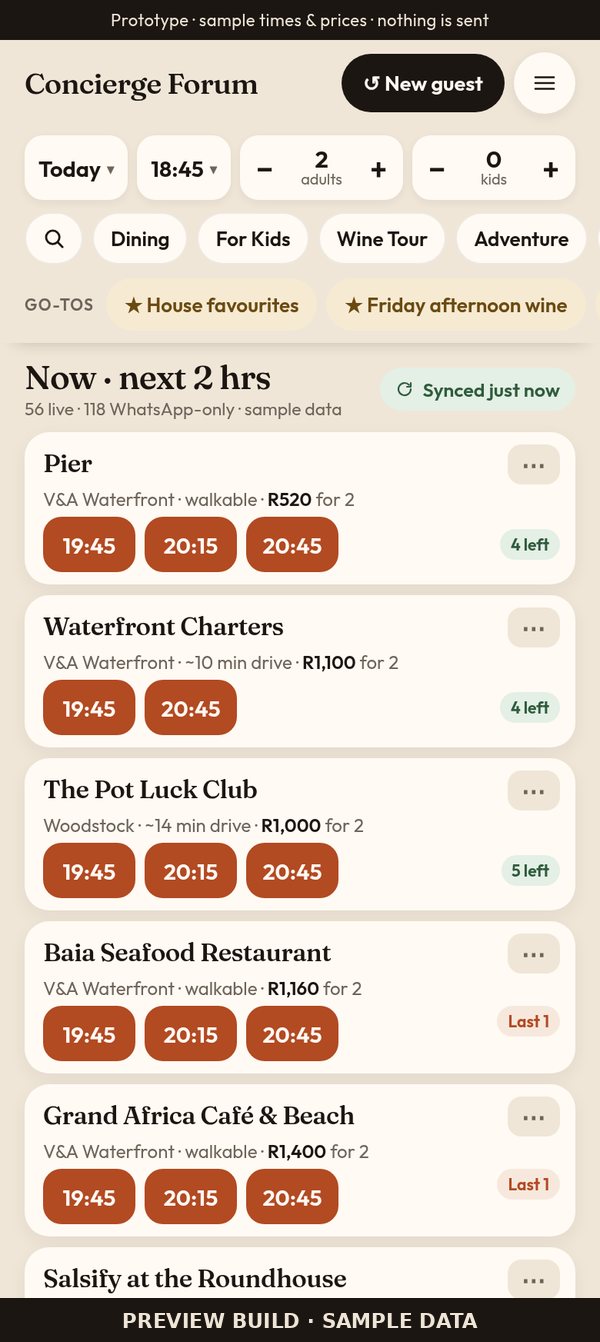
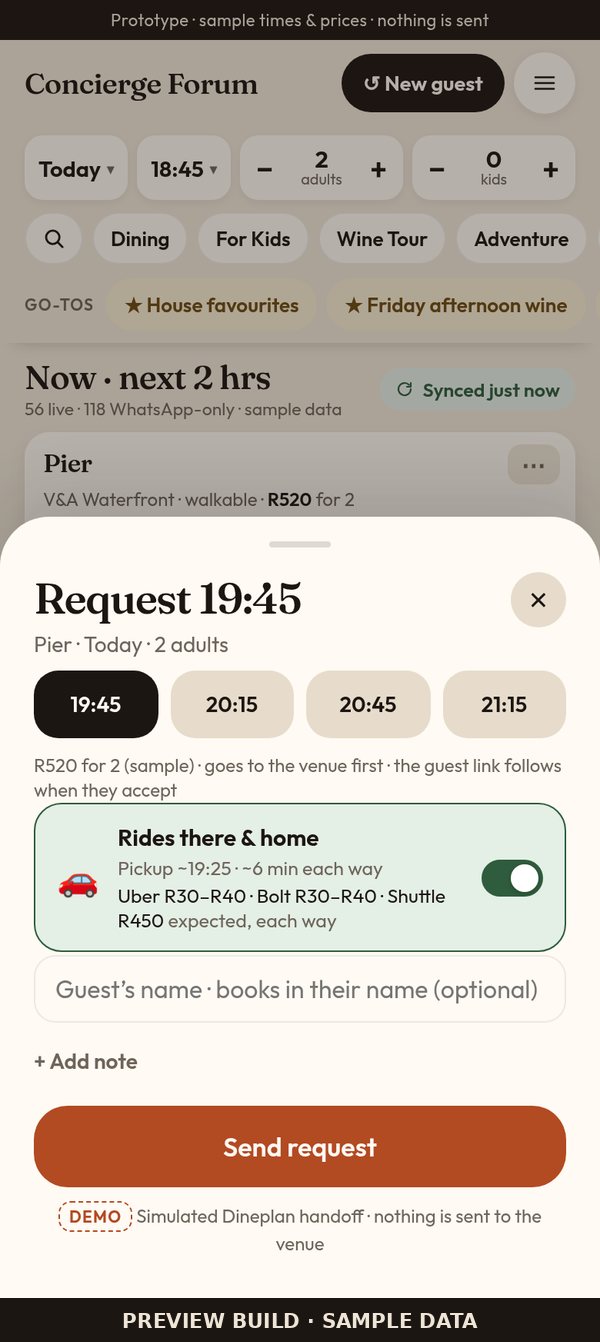
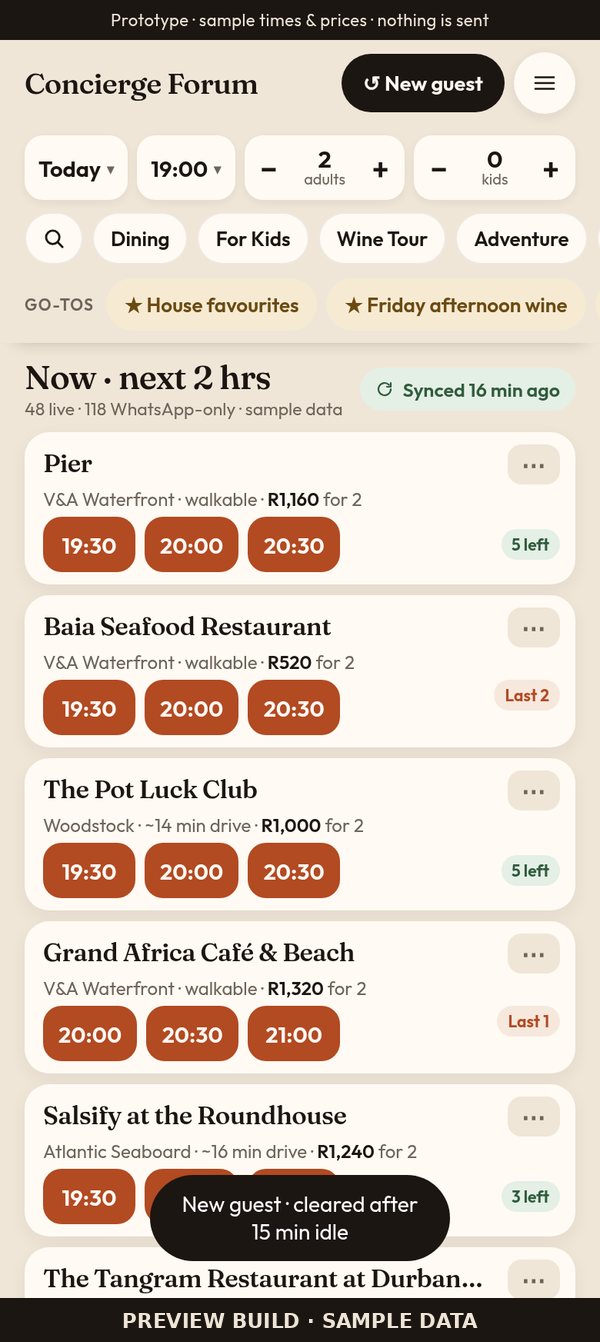
Tap a time. Send request. Done in 2 taps.
The Now list ranks what's available in the next 2 hours. Date, time and party size sit in one bar at the top.
No false promises
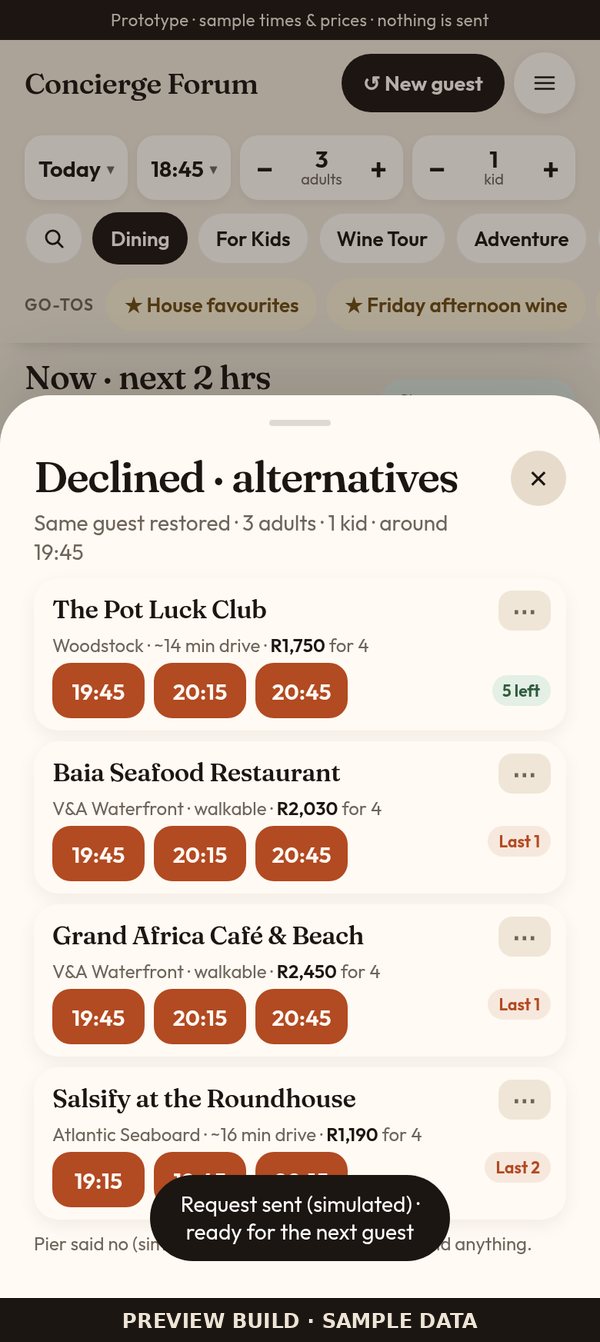
The venue says yes first.
- Every request goes to the venue first.
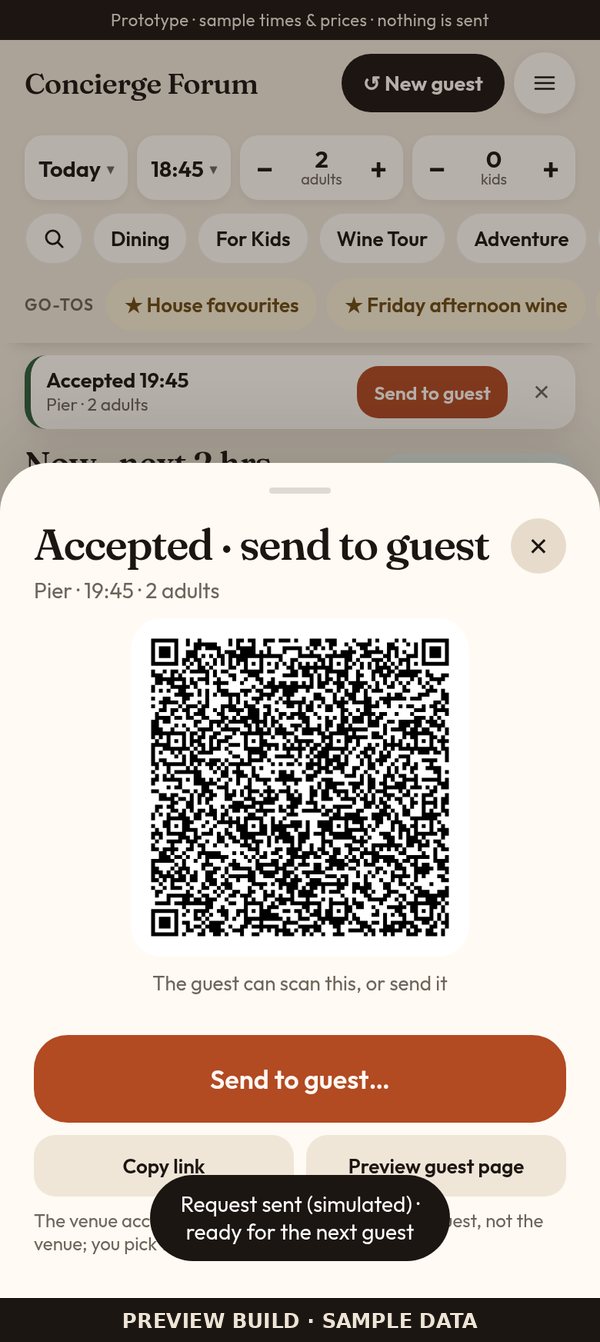
- The guest link appears only once the venue accepts. It never says "booked" before that.
- If a venue declines, close alternatives for the same party are ready.
The whole day
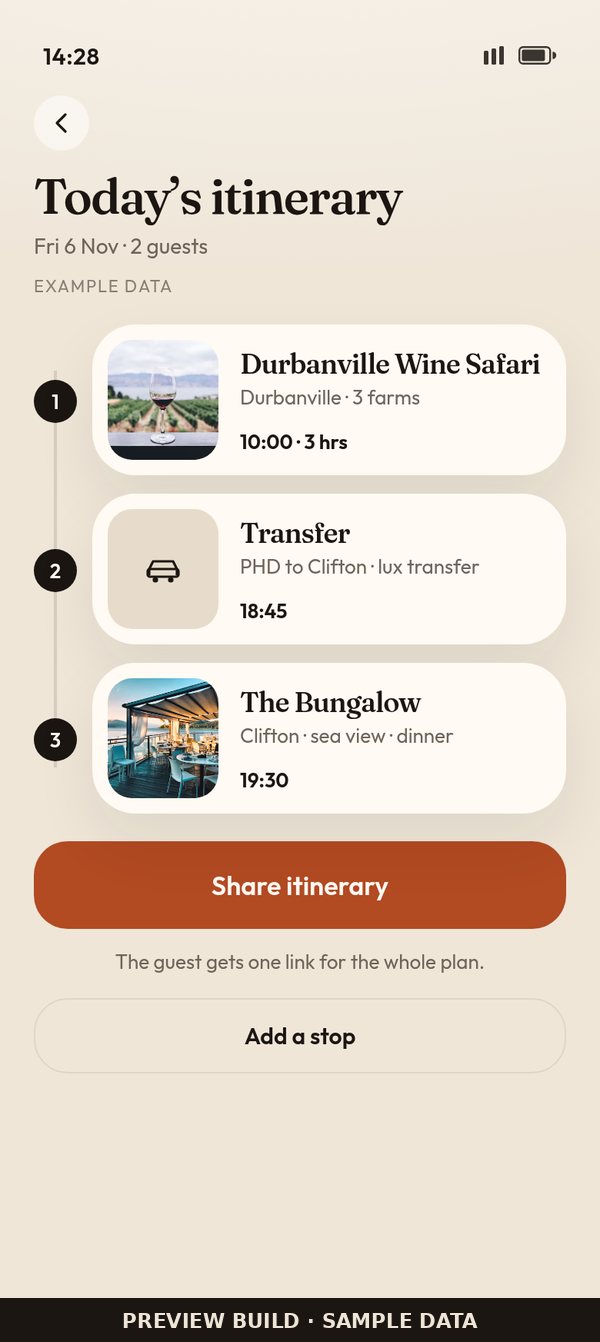
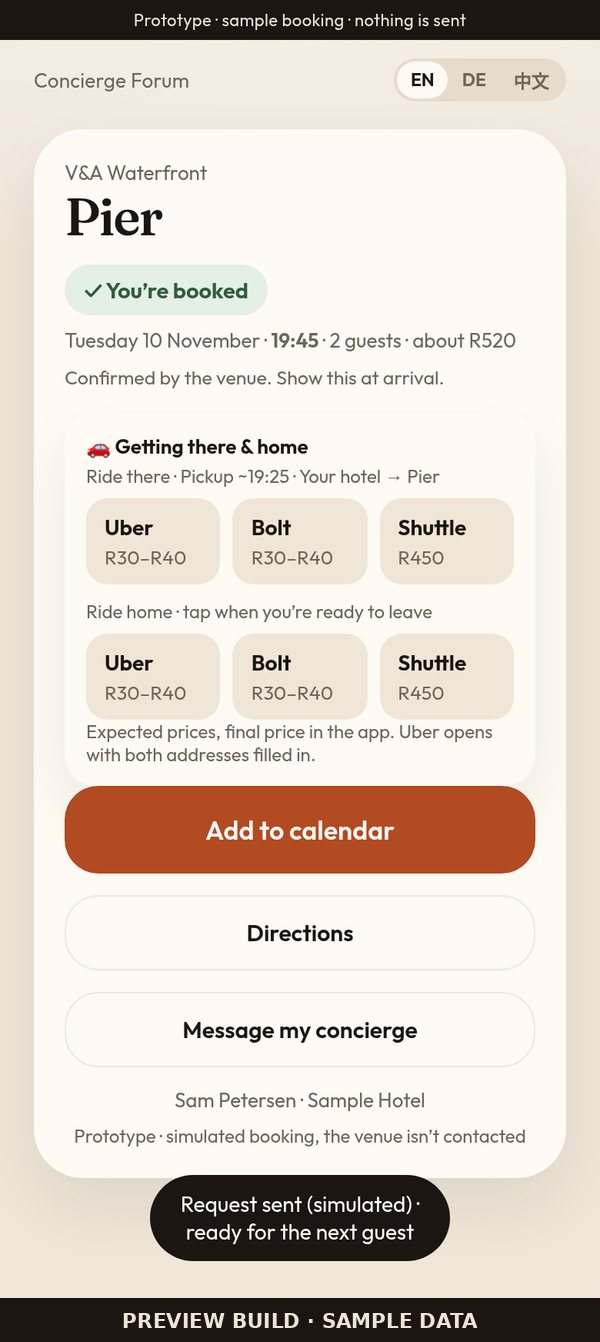
Book the full itinerary in the guest's name, rides included.
Add each stop in the guest's name and contact details. Transport between activities goes on a Seats Uber or Bolt account. One plan for the day instead of separate searches.
The guest keeps it
One image or QR code. Every booking goes into their calendar.
The guest gets the itinerary as a shareable image and/or a QR code. The QR adds every booking, with its details, to their calendar.
Professional at the desk
No money on the screen the guest can see.
- The Book screen shows booking information only.
- Fresh start for every guest: it resets after each request, after 15 minutes idle, or when you tap New guest.
Your private dashboard
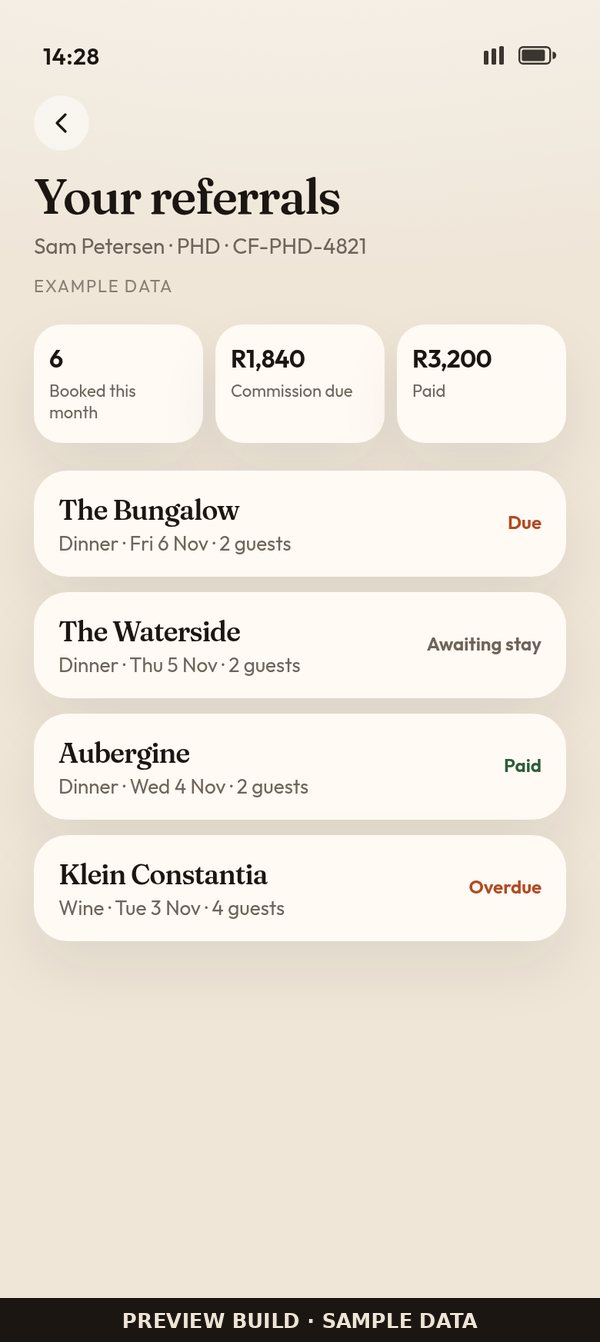
Your earnings stay behind your profile icon.
Earnings, booking counts, payouts and commission sit on your own dashboard. See each referral's status, from booked to paid. Commission never decides the order of results.
Your knowledge, built in
Go-tos, house favourites and a map.
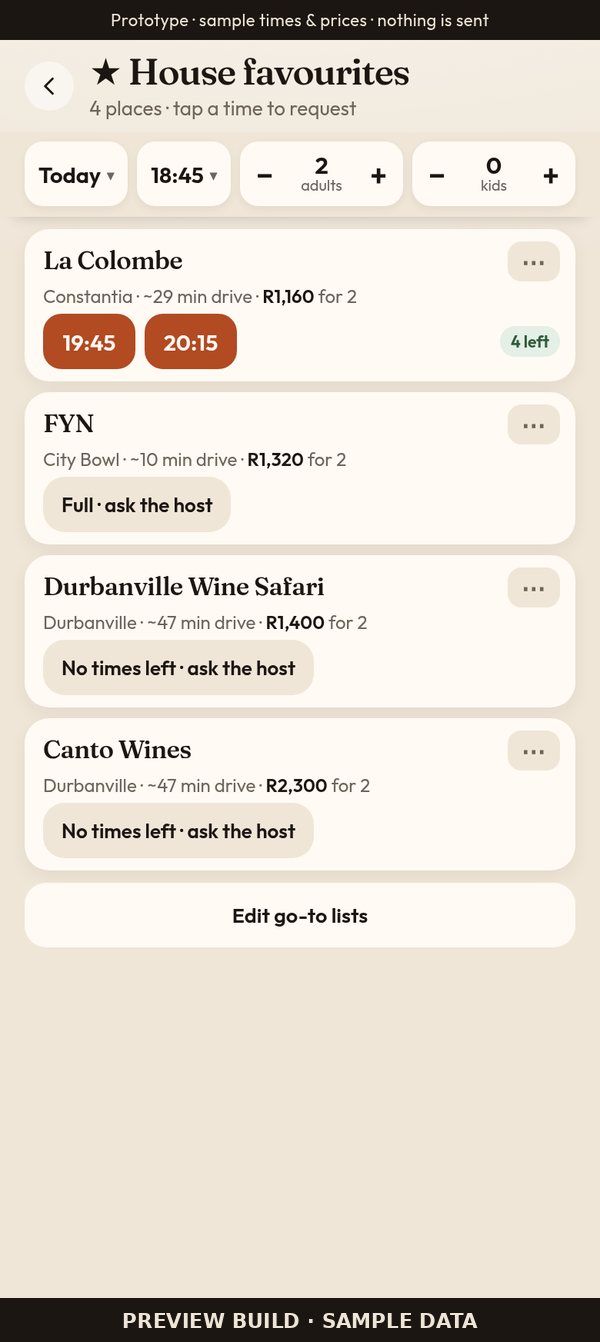
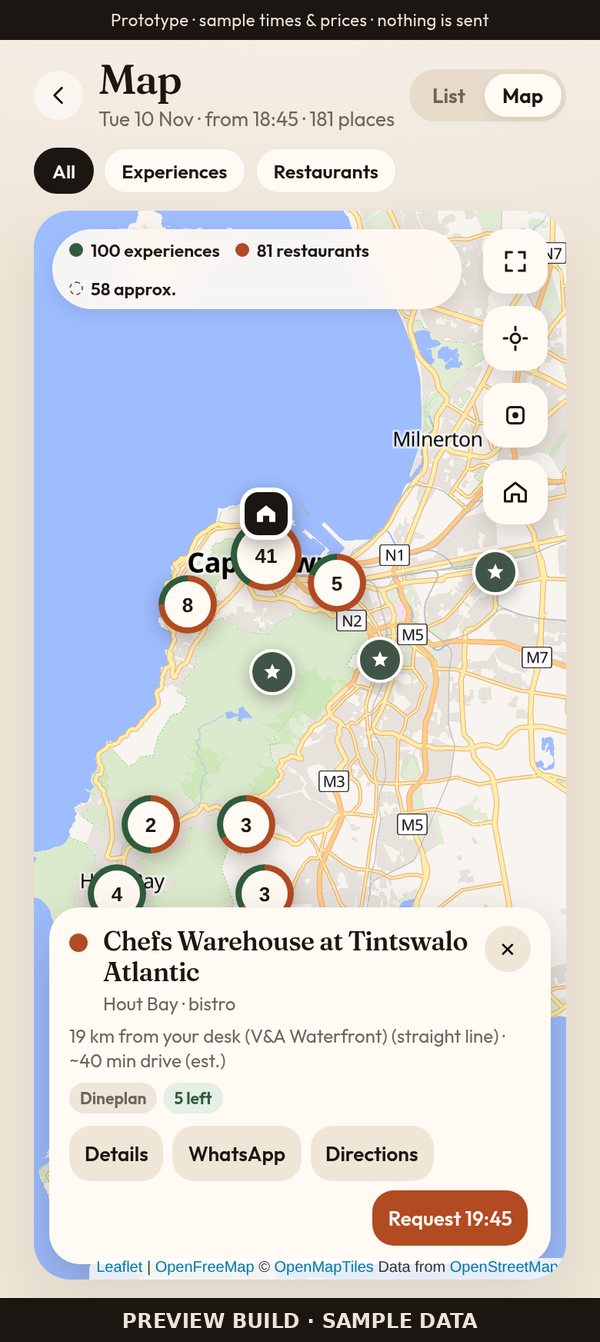
Pin your go-to places as one-tap chips, keep the hotel's house favourites at the top, and check where places are on a real map.
Getting started
How onboarding works
- 1Open Forum on your phone and add it to your home screen. No app store needed.
- 2Create your profile (name, hotel or desk, WhatsApp, email) and get your Concierge ID.
- 3Pick your desk area once, so travel times are right.
- 4Share your link or QR with guests. Bookings made through it are credited to you.
Forum is in preview: sample data, and nothing is sent yet.
Join the first concierges
Get onboarded to Forum.
Faster bookings, a plan the guest keeps, and earnings only you can see.
Sign-up link coming soonPlaceholder: the real sign-up link will be added here before launch.